
Loom-X How to get Started
Step by Step Guide
(Videos Below)
NOTE: We recommend Token Pocket which is a decentralized crypto wallet. You can use Metamask or other Web3 decentralized wallets. But, Token Pocket allows for easy operation and consistent tutorial guidance. You can download the app to your SmartPhone, or add the Extension on your Chrome Browser. You can even use both, by using the same 12 passkey phrase, so they both mirror each other.
Step 1: (Option 1): Download “TokenPocket” wallet app on your chrome browser. Go to the Extensions, and download the Chrome Extension “Token Pocket”. Add to Chrome. Create an account, add a password, copy your 12 key phrase. Keep it in a safe place and do NOT take pictures of it.
Step 1: (Option 2): Download the “TokenPocket” app on your iPhone or Android smartphone, create new wallet, choose BNB, save your 12-key phrase. Go to the browser (“Discover”) section inside your TokenPocket, and paste the referral link below (from Step 2) into the TokenPocket browser, and click “Connect Wallet”, and choose BSC Chain.
Step 2: Click ON the Loom-X Referral Link Given to you by your SPONSOR. If using Phone App, copy URL into your TokenPocket browser. Create a password.
[NOTE: If it asks you for your sponsor’s invite code, use this invite code : OD9WDZY or simply use the invite code at the end of their referral link.
Step 3: Click “Connect Wallet”, and select “BSC Chain” to connect to.
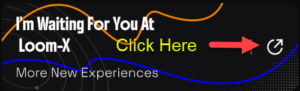
Step 4: To find your OWN referral link, on your Loom-X page make sure your wallet is connected. You know your wallet is connected by clicking the menu at the top right, then clicking “I’m Waiting For You At Loom-X”
,
copy your Invite Code & Referral Link and save them.
NOTE: If you want to manage your Loom-X account and wallet on BOTH your computer Chrome Browser and your SmartPhone. You can simply IMPORT the 12-key phrase from one to the other, name the wallets to reflect the same, and they will mirror each other. You can simply use https://app.loom-x.io/ to connect your wallets after your wallets are setup. No need to use your referral links after you’ve registered.
Referral Link to input AFTER installing Token Pocket as instructed above: https://app.loom-x.io/#/?inviteCode=OD9WDZY
This is the CTI link not YOURS. Get YOUR link AFTER connected as instructed above.
That’s it. Happy Auto Trading!
How-To Videos
How to Register
Create Contract Robot Order
DISCLAIMER
CryptoTechInvestor is not a registered or licensed analyst, broker, or financial/investment advisor and, as such, the information conveyed through the services provided through this website should not be taken as financial advice. All information conveyed through the services provided on this website is for educational purposes only.
Past results are not indicative of future performance. Trading through, and investing in, financial markets (FOREX, cryptocurrencies, stocks, options, etc) involves a large amount of risk. No individual should engage in any trading or investment activities unless they fully understand the risk associated with such activities. Any financial losses burdened by an individual from the decision to extrapolate the information conveyed through the services provided on this website to financial markets is solely the responsibility of the individual that enacted said decision. We at CryptoTechInvestor.com accept no liability for any losses incurred by any individual who decides to invest or trade in the financial markets, whether the said individual fully understood the risks or otherwise.
If you do decide to invest or trade in any financial markets that comes to your attention at our site or elsewhere, we urge you to invest or trade with money that, if lost, won’t have an impact on your day-to-day activities and your ability to uphold financial obligations (herein “risk capital”).
Invest at your own risk and do your own research and due diligence. You are 100% responsible for your gains and losses. No one else. Hopefully, you will see more gains than losses in your ventures.